How is it already the end of January?
Are those New Year's resolutions holding up? I know it's cliche but I was determined to get in shape this year... and then our whole house was wiped out for a week with Flu, and I'm still feeling drained and lethargic so that Peleton bike is getting nothing from me at the moment!
Maybe I'll start February 1st, and just pretend like January never happened 🤷
Anyway, we have had some highlights and wow, have there been some big updates that I'm excited to share below.
As this is a mixed audience, we've broken down our news into the following categories to make it easier to jump to what's relevant. Enjoy.

New this month...
Professional Studio builds are not something we offer but when an existing client who we've helped with their live streaming for several years insists on us helping, we accepted.
For the past two days we've been on-site setting everything up and training the team on how to run their live streams. Sadly the furniture hadn't arrived so we set up with temporary alternatives but there will be a sofa setup at the far end of the room and opposite the TV on the right there will be a standup counter for product demonstrations.
It was great fun, and it made a nice change to get out of the office!

Ecamm news this month...
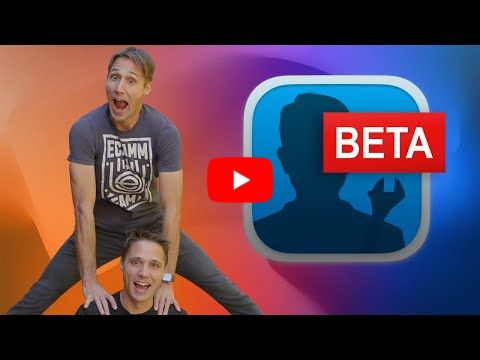
Last week Ecamm dropped a new BETA version, and it's GOOOOD!
I haven't managed to make a review video yet so I've linked to Ken & Glen's walkthrough below if you're interested 👇
|
The highlights for me:
Live Motion is one of those features you didn't know you needed... but I guarantee you're going to be seeing everyone use it as standard now. What it does is allow you to 'morph' overlays from one scene to the next. So if on one scene I'm full screen, then on the next I have a screenshare and me in a little box, this Live Motion transition will work like a keyframe and change me from one size to the next smoothly. It's gorgeous! See how Ken & Glen use it in their demo. I can think of so many uses for this 🤗
PTZ Camera Support. I was sent a couple of OBSBOT cameras last year which I reviewed and did a full setup video here. Well now Ecamm have brought the controls into their dashboard so now we can pan around with the cameras, or create preset positions and save them as camera views in the camera switcher. Again, watch the review to see this in action.
Improved Ecamm for Zoom functionality. This is actually the thing I'm most excited about. We can now pull anyone from our meeting into an Active Camera placeholder, without needing to select them in Ecamm first. I will be using this on ALL my support calls now!
Plus, they've finally given me the ability to have a streamdeck button to turn 'Spotlight' on and off. That's the feature in Zoom that forces your camera to go fullscreen rather than have people see you in gallery view. Again, this may be small for many but it makes me so happy to finally have this.
There are plenty of other updates, including Audio Filters but I want to focus on my top 3 and leave you to watch Ken & Glen demonstrate the others.
Is BETA safe? Yes absolutely. It's a seperate install so it won't affect your other Ecamm install, and it's totally free. You can get the latest BETA version here... or I'm sure it will be an update to the main version next month.

YouTube news this month...
Ok, lets see what YouTube have been up to and find you some tools to help your content creation.
The Inspiration Tab
This looks brilliant! Unfortunately, it's not currently available to us in the UK (and the EU) so I'm relying on what I've seen so far.
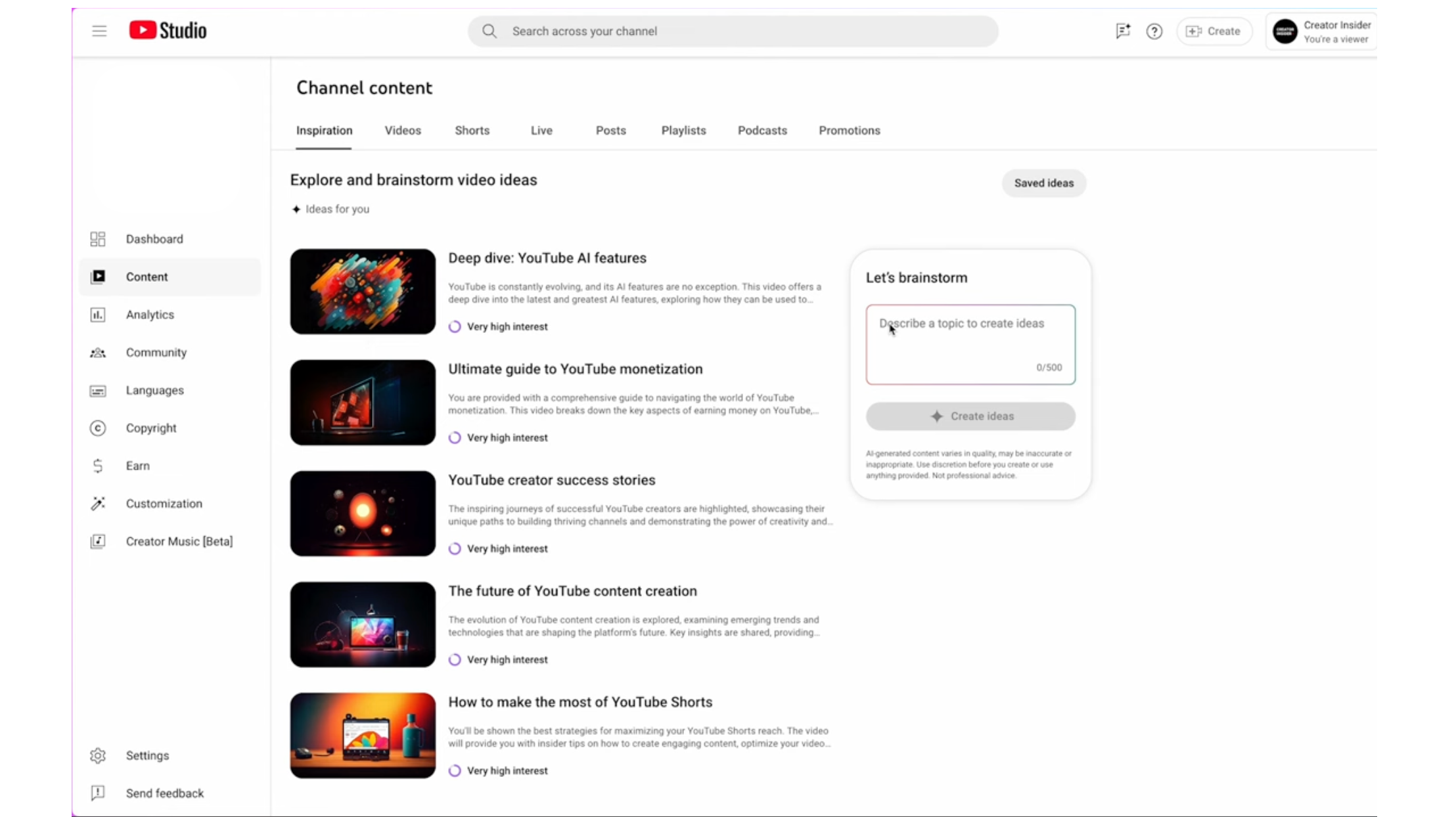
Do you have it? Head into YouTube Studio and click 'Content' in the left column. You should have a new tab at the top of your page called 'Inspiration'.
YouTube are helping make content creation easier so you'll get 5 suggestions for your next video, or you can type in an idea of your own and the AI will help you brainstorm the idea. Now these suggestions are based on your current content so the bigger your channel, and the more focused you are, the better the suggestions will be.
They'll suggest a thumbnail, title and general outline for your video.
Did you catch that... they'll suggest THUMBNAILS for you, which I know from our YouTube Academy community can be the hardest part.
They'll suggest titles! And you're getting these suggestions straight from YouTube based on what will work on the platform.
So this sounds pretty epic. But I can't put it to the test yet, so we'll have to wait and see.
If you have it and give it a go, please let me know how well it works.
Auto-Dubbing
Once again, this is an update that's not available to us yet and I'm not sure how it's being rolled out but I want to share it anyway to get you all excited. Auto-dubing is a feature that generates translated audio for your videos in different languages 🤯. So your English video will play audio in Portugese, French, Spanish, German, Italian, Hindi, Indonesian and Japanese based on the viewer's language. And those videos will play in English too. That's huge right? No third-party expensive apps, it's all happening for free in YouTube. And if it's anything like the transcribing, I reckon the result will be decent.

Kajabi news this month...
I've just been given access to the BETA version of Kajabi Community! 🥳
We've been looking forward to this since April last year when Kajabi gave us some prototype screenshots and said they would be rolling it in Q3 of 2024. Well, it's here now, and it's very nice!
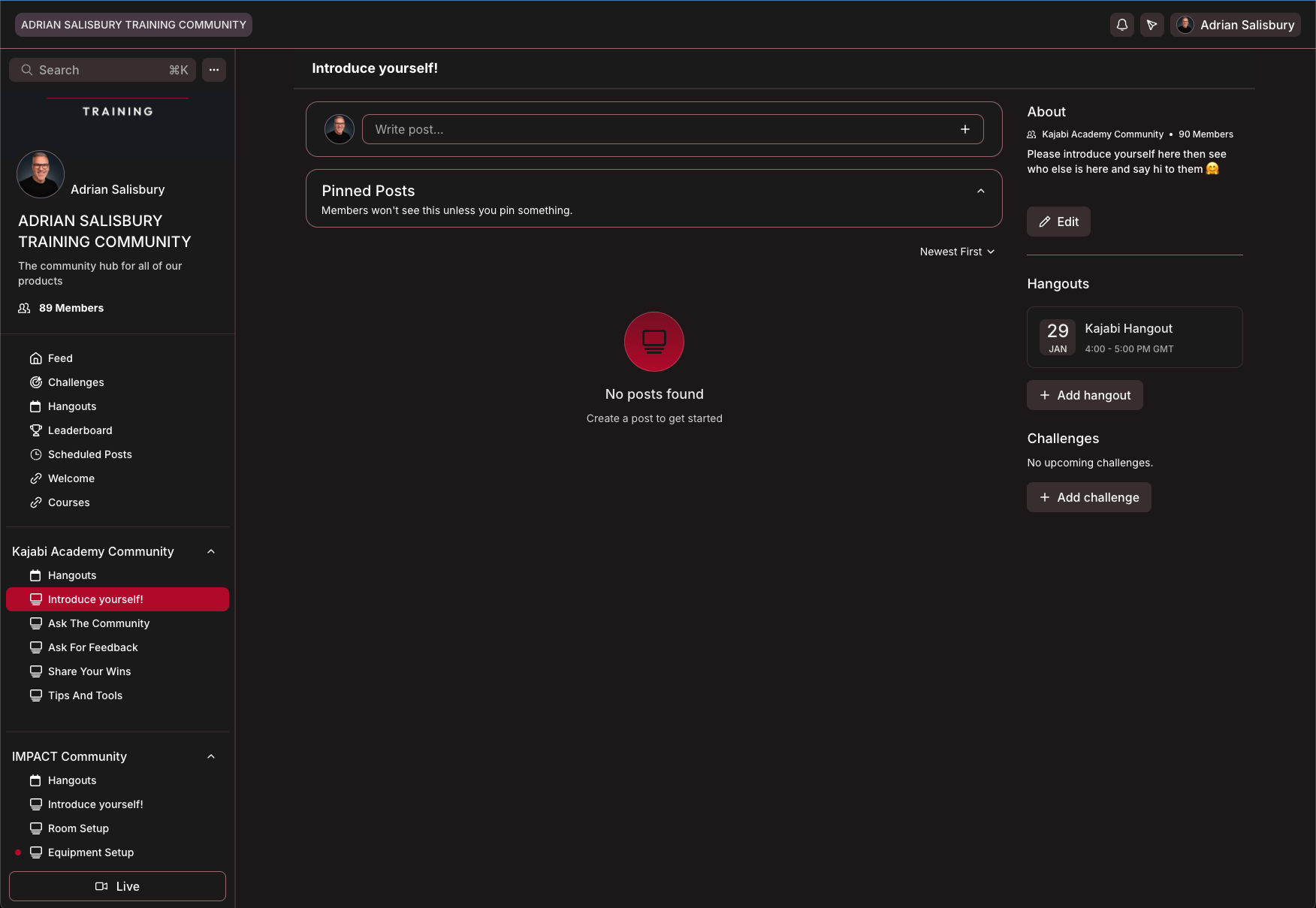
This is a huge plus for Kajabi and makes it a true All-In-One platform.
I know many of our Kajabi customers, like us, are fed up with Facebook groups and are eager to bring their communities over to Kajabi.
Customers will have the ability to access their course library from within the community and post questions and ask for feedback without leaving the dashboard. You can even run your group support calls in here with instant replays.
Now that's all good and well in theory but what's the experience like? Well that's our next job, to bring in customers in stages, test the notifications, check they can find the meetings, and get feedback on the overall experience, but my initial thought is that they've done a really good job, and I look forward to updating you next month.
Not on Kajabi? You can take a 30-day trial though our affiliate link and gain free access to our support! More details here.

Our new videos this month...
We've been focussed on Kajabi this month so we've got two comparison videos against Kajabi's biggest competitors.
|
|
I also finally got Owen to show you how he makes those gorgeous Product Box images!
|

Coming up in the next month...
As you're getting this, we're leaving a wet, miserable England and heading back out to sunny Cyprus for most of February! But that doesn't mean work stops. I have a fantastic co-working office available and we'll be setting up a full recording studio with them, much like we just did for this other client, so I'll no doubt have some news about that.
Thanks for reading this. I hope you found it useful, and as I said at the start if you have any feedback and suggestions, please hit reply and let us know.
Best wishes,
Adrian Salisbury

Responses